

Tailwind CSS Popover
Build Tailwind CSS popovers for dismissible, interactive content, with placements, automatic positioning, focus/hover triggers, profile cards, and JavaScript methods.
Requires JS
Note that this component uses our Tooltip & Popover plugin API with the third-party Floating UI plugin, else you can skip this message if you are already using Preline UI as a package.
When to use popovers
Use a popover when content needs to stay open long enough for someone to read it or interact with it without blocking the rest of the page.
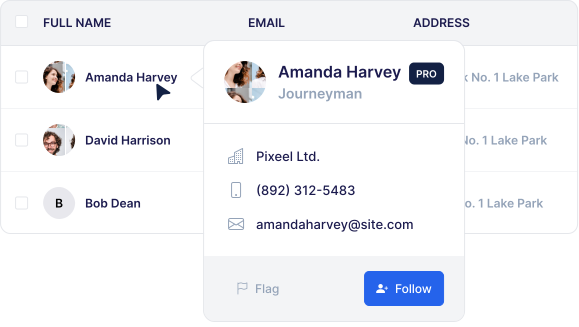
Because popovers can remain open after the trigger is activated, they can also contain buttons, links, and other interactive elements:
Tradeoffs
Choose a popover when a tooltip is too limited and the content needs richer context or inline actions.
Because popovers can be easier to miss and may introduce accessibility or discoverability issues, use them only when inline content, a dropdown, or a modal would be a worse fit.
Popover placements
Place the popover above, to the right, below, or to the left of the trigger.
Automatic placement
Set [--placement:auto] to let Floating UI choose the side with the most available space.
Interactive content
This example shows a richer popover layout with additional content and actions.
Review summary popover
Use a compact review summary popover to reveal ratings and supporting details without leaving the page.
User profile popover
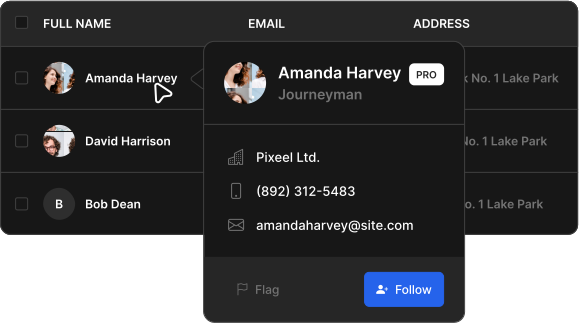
Use a user profile popover to show quick identity details and related actions from a single trigger.
Destroy and reinitialize
Use the destroy method from the Tooltip & Popover plugin API to remove a popover instance, then initialize it again when you need to restore the behavior.